How It Works
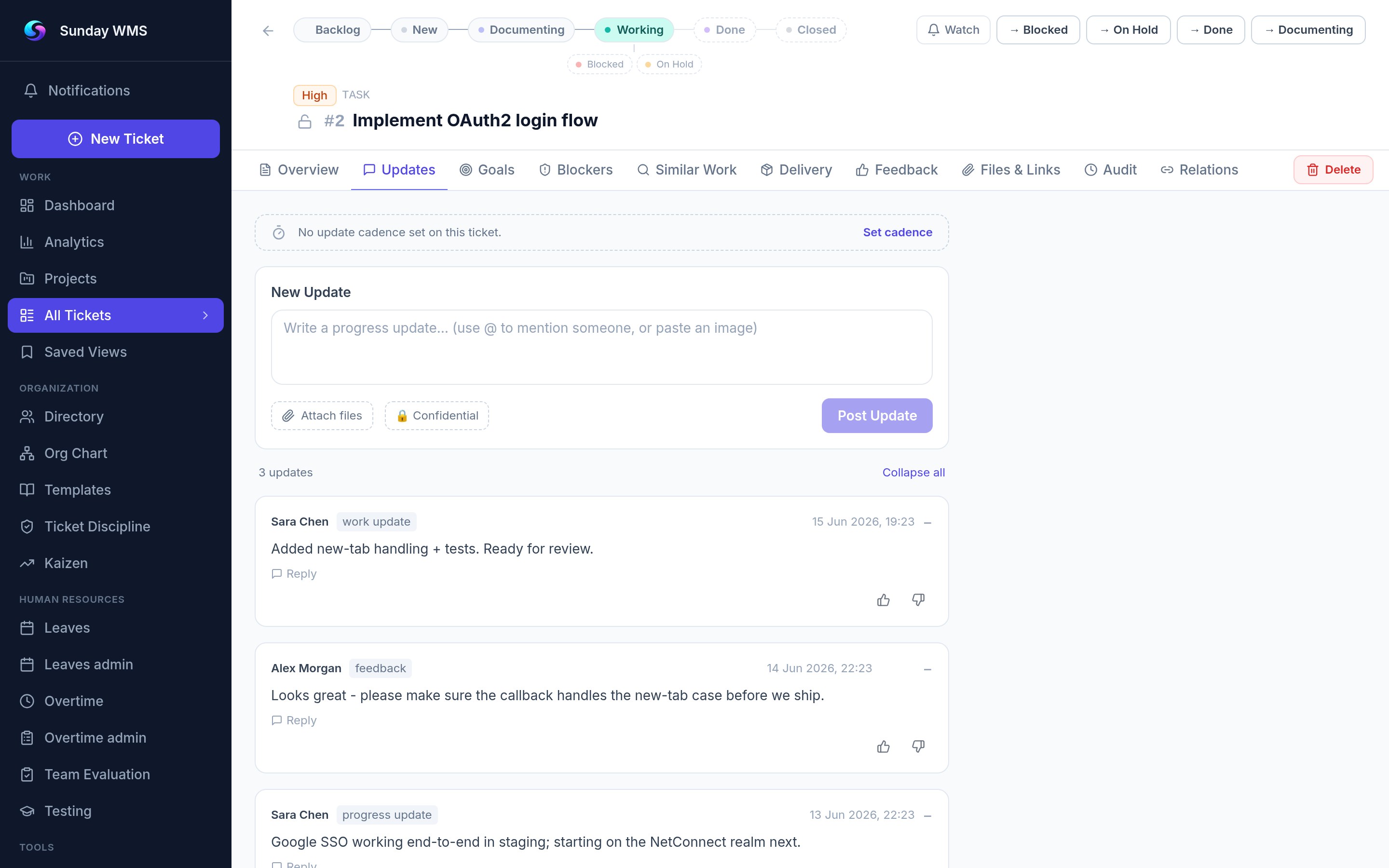
TICKET STATUS
WORKFLOW
Sunday is the ticket management platform that replaces scattered tools with one structured workspace. Every ticket — task, project, blocker, quick action — moves through the same 8-status lifecycle. Teams always know exactly where work stands and who owns it. From Backlog to Closed — ticket tracking software built for operational teams.
THE STATUS FLOW
Every ticket follows this path. Blockers and On Hold are temporary states — work resumes when they are resolved. Nothing gets lost. Nothing gets forgotten.
THE PLATFORM
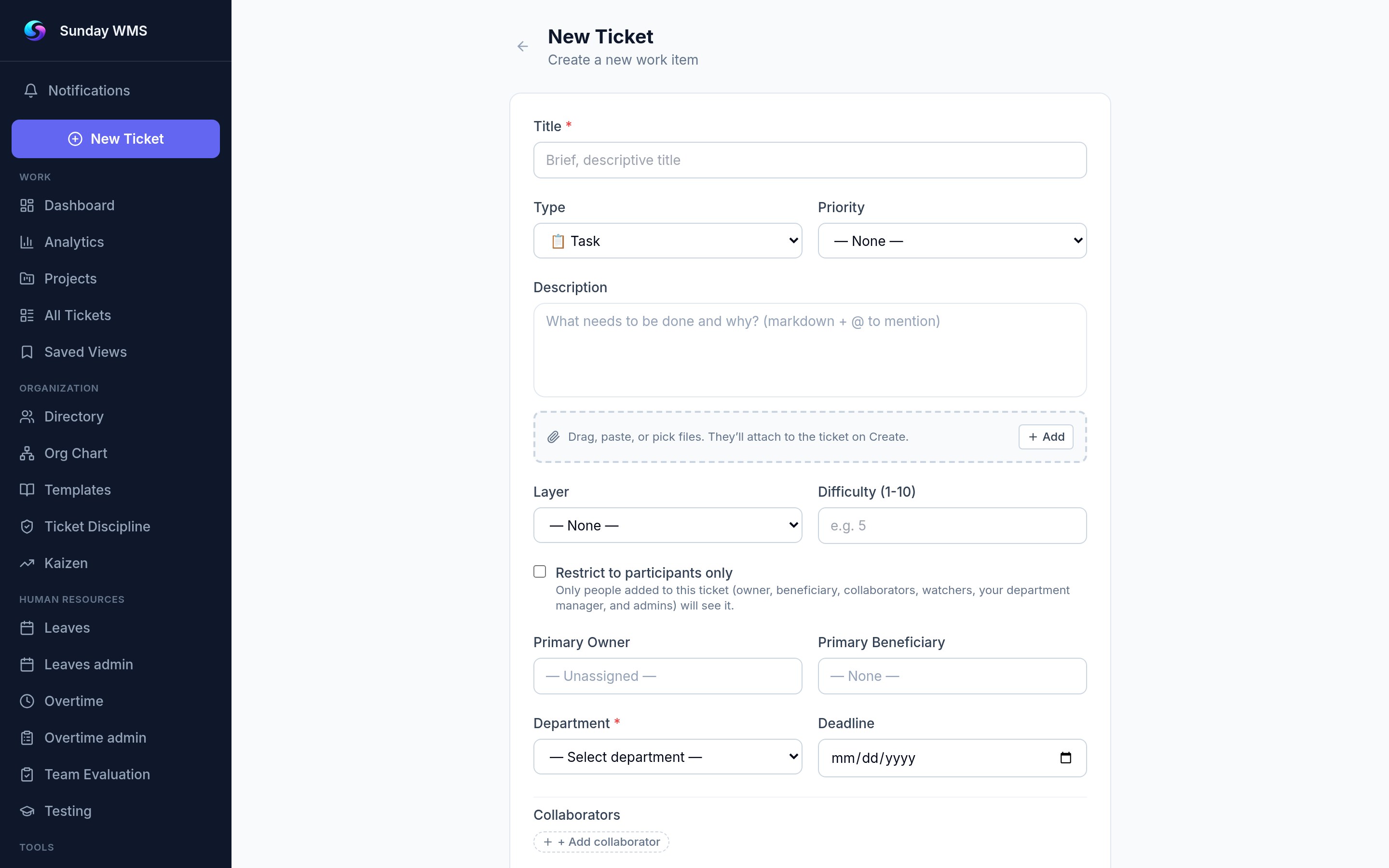
Create Tickets
Every piece of work is a ticket in this ticket management software. Tasks, projects, blockers, quick actions, and Recurring Templates — all structured the same way. Recurring Template tickets auto-generate from a template on daily, weekly, or monthly schedules. Add owner, beneficiary, collaborator, and watcher. Set deadline, priority (Low, Medium, High, Critical), and layer (L1-L4 for organizational hierarchy). Assign a ticket type and start it in Backlog — it moves through the 8-status workflow from there.
- 5 ticket types: Task, Project, Blocker, Quick, Recurring Template
- Owner + Beneficiary + Collaborator + Watcher roles
- Deadline + Priority (4 levels) + Layer (L1-L4)
- Auto-generate recurring tickets on daily, weekly, or monthly schedules
KEY FEATURES
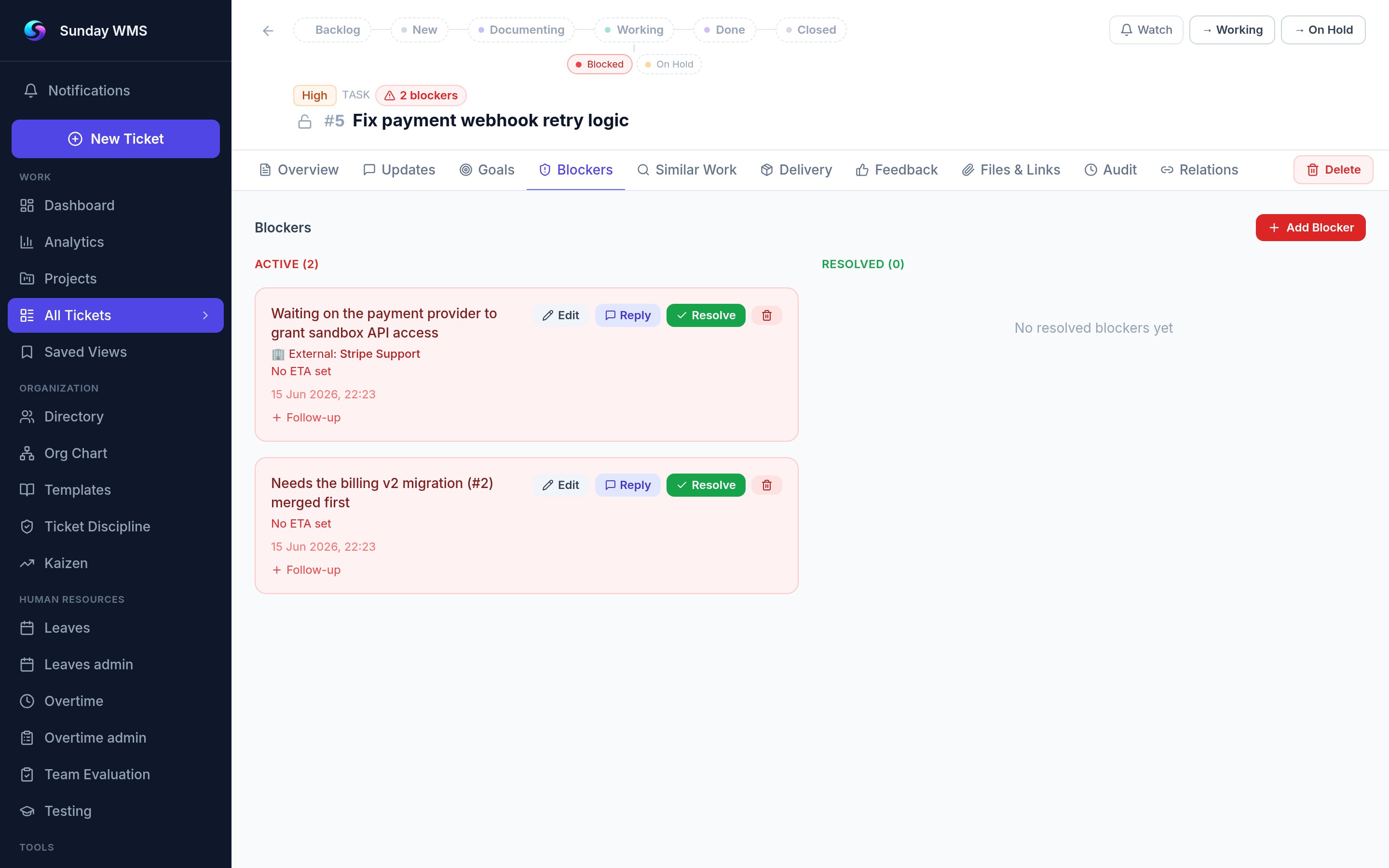
Blockers
Internal blockers (someone on the team) vs external blockers (partner, vendor, third party). Set ETA and required action so everyone knows exactly what needs to happen to unblock. Visual indicators show blocking relationships across tickets.
Feedback Loop
When a ticket reaches Done, it moves to Awaiting Feedback. The beneficiary rates the work 1-5 stars and optionally leaves a comment. This explicit closure ensures nothing slips through — no more "I thought you were done."
AI Assistant
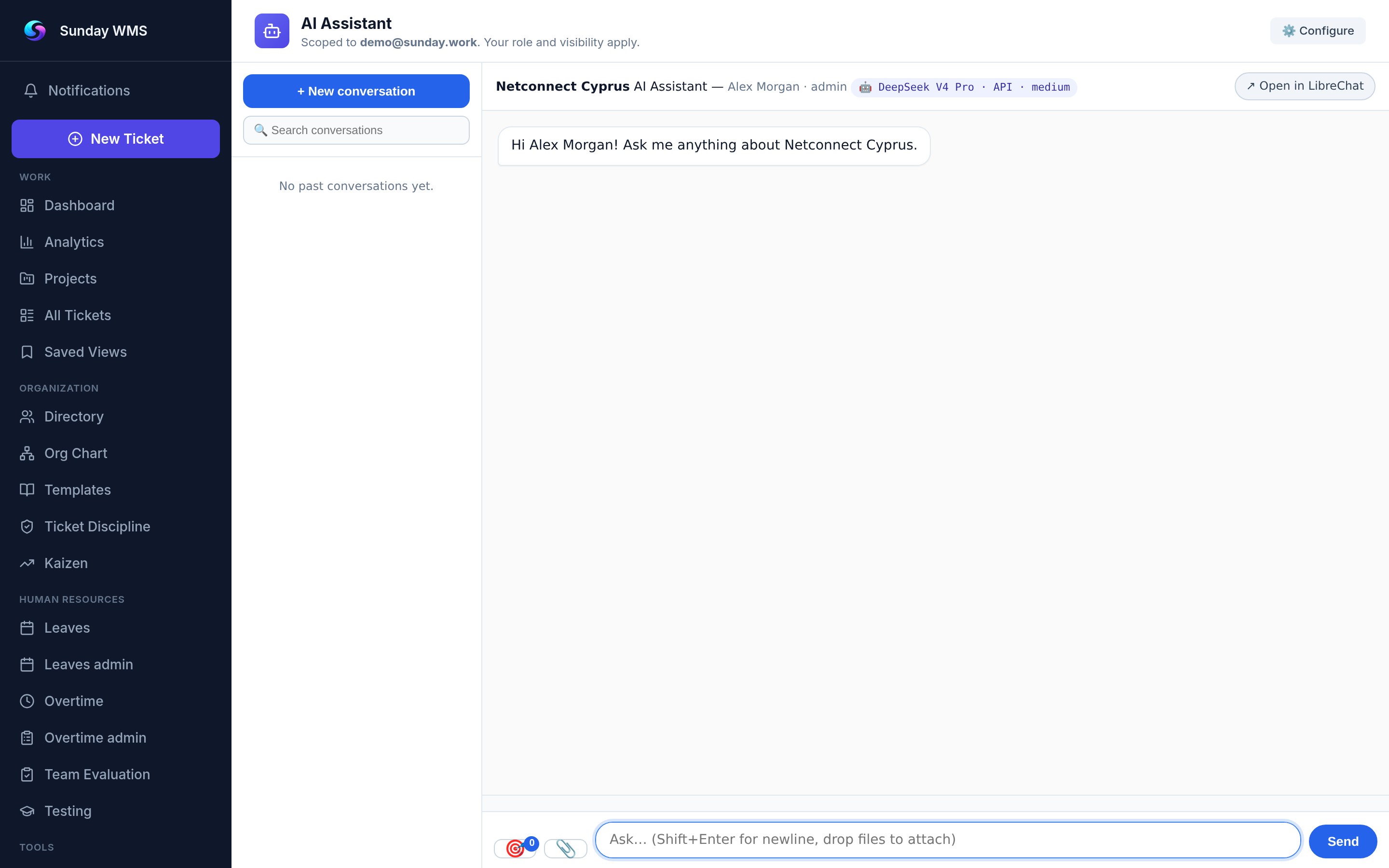
Your internal brain for the platform. Ask anything — active tickets, team stats, org structure, personal workload — and get instant answers. AI Assistant also proactively creates tickets from flagged emails, recurring patterns, and overdue items. You review and approve before they go live. Powered by 122 MCP tools integrated directly into Sunday workflow.
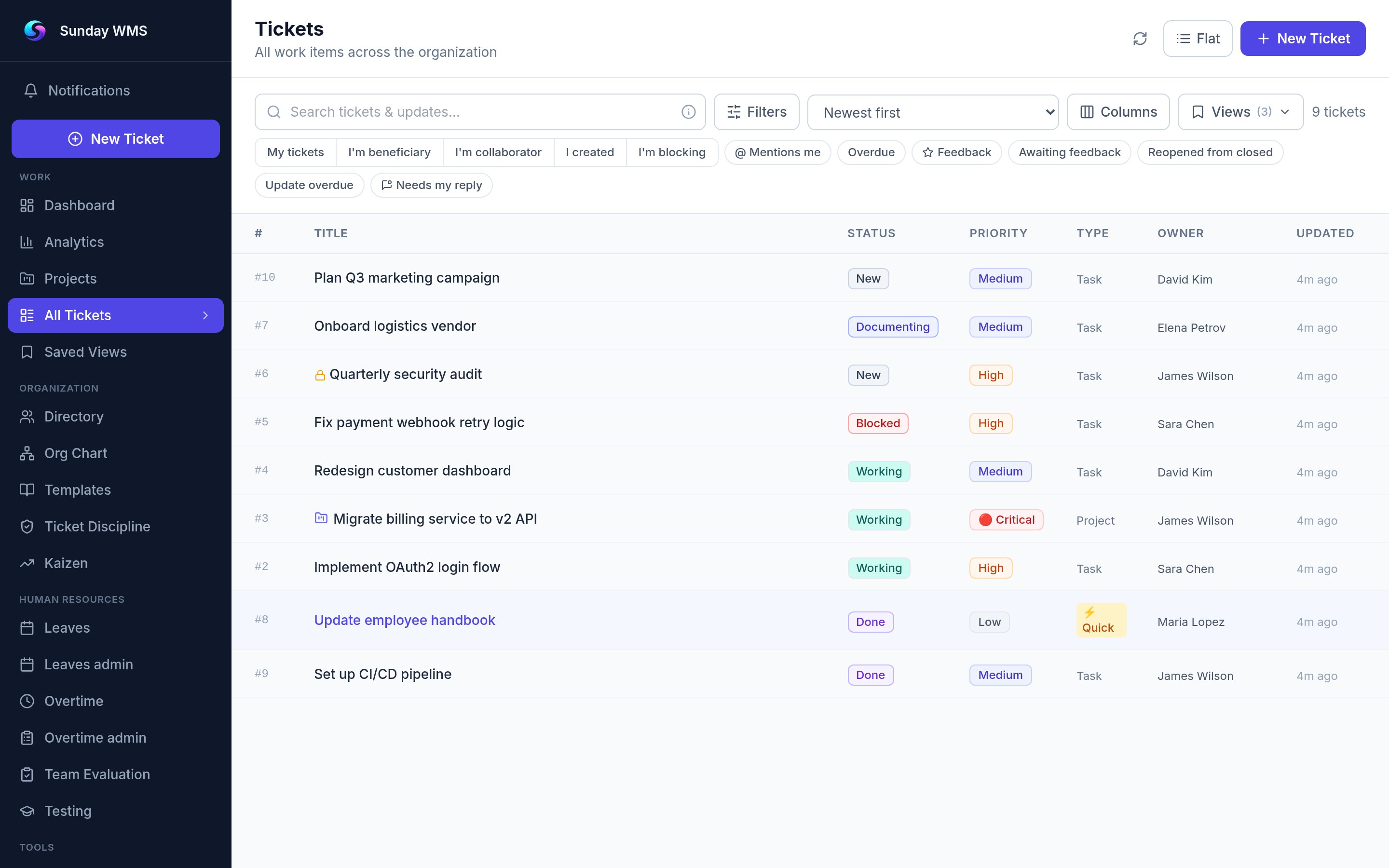
EXAMPLE: SAVED VIEW
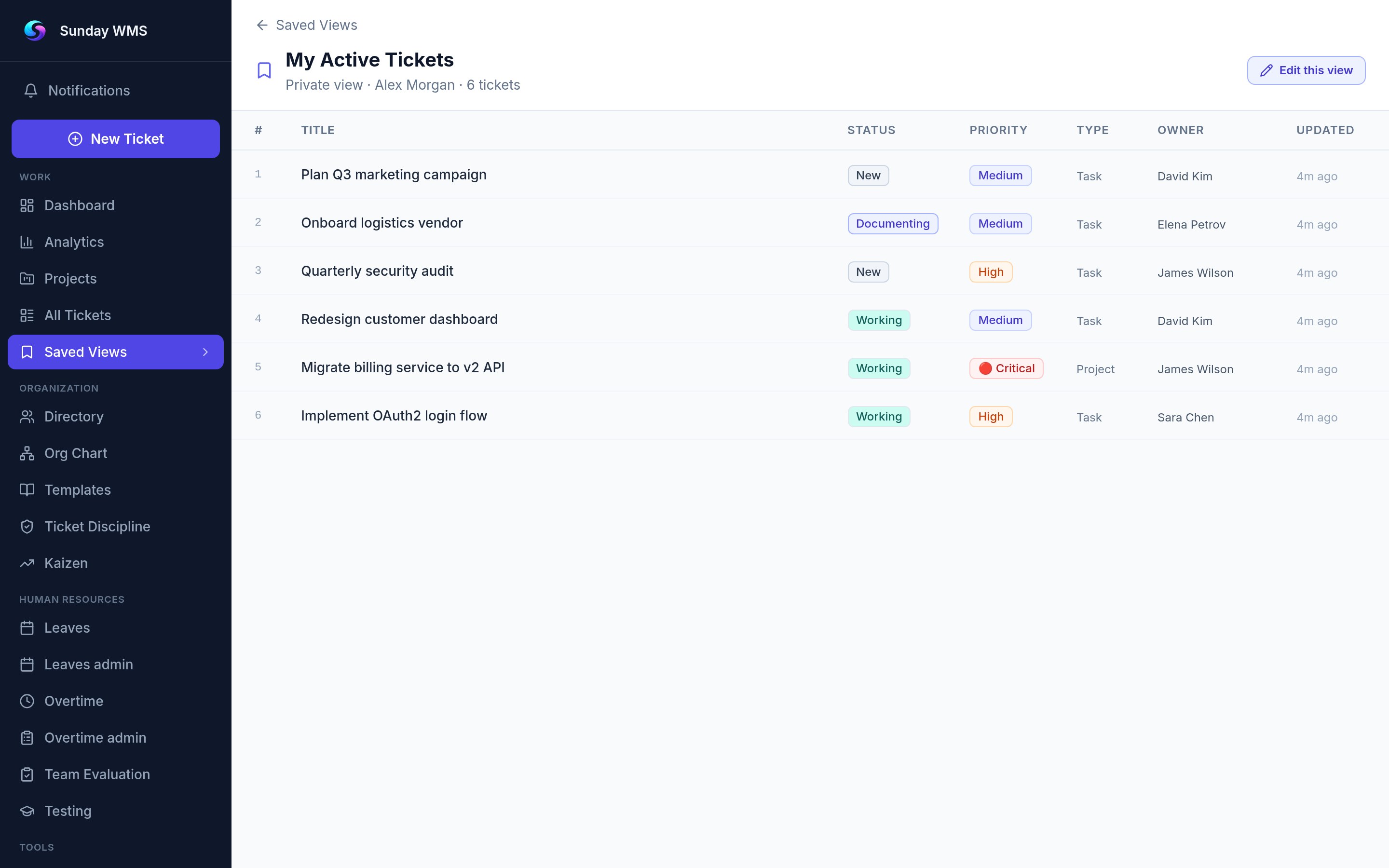
A saved view captures your exact filter, column, and sort configuration. Load it in one click whenever you need the same perspective on your work.
TRY IT YOURSELF
Create your first ticket, save a view, and build a dashboard. Sunday is free to start — no credit card required. See why operational teams call it the last ticket management software they'll ever need.
Admins manage users, roles, departments, and integrations from a single settings panel. Onboarding a new team member takes minutes.
GO TO DASHBOARD